Serendip is an independent site partnering with faculty at multiple colleges and universities around the world. Happy exploring!

The Rat Hindbrain

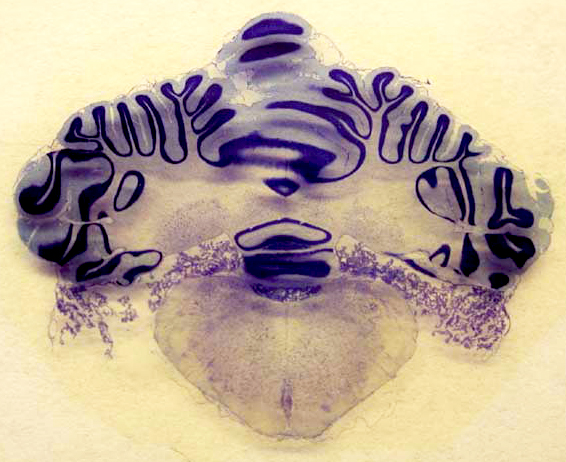
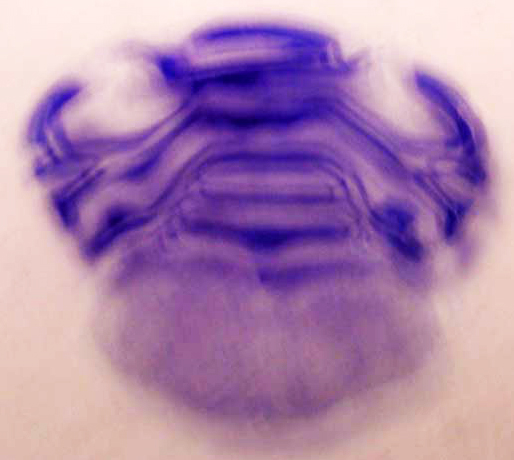
Cross-section of a rat hindbrain


Now we are looking at a cross-section of the hindbrain of a rat.

Can you tell what structure this is? Do you see the convoluted material that is dark purple? That is the cerebellum. What other structures do you see? What is beneath the cerebellum? Although it is difficult to tell exactly what level we are seeing, structures of the brainstem may be apparent. Do you remember what structures constitute the brainstem? It includes the pons, medulla oblongata, and spinal cord.

Where shall we go from here? Click on your browser's "back" button to return to the midsagittal view of the rat brain, or click on one of the buttons below to learn about these structures, to slice other brains, or to move on towards magnification.


The Rat Forebrain

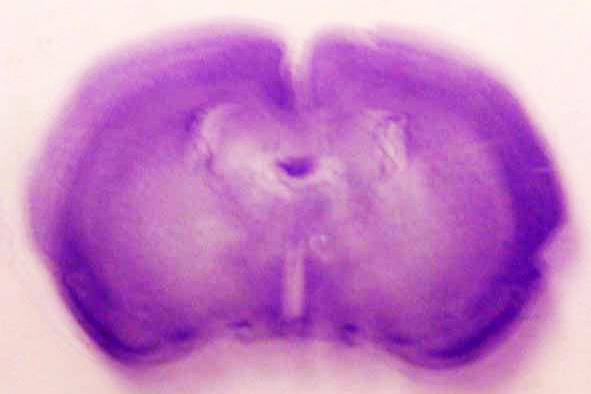
Cross-section of a rat forebrain


Now we are looking at a cross-section of the forebrain of a rat.

As with the human, monkey, and cat forebrains, this image is a good illustration of the cerebral cortex at the frontal lobe of the brain. The dark purple that looks like an outline is gray matter. The light purple inside the dark purple is white matter. You can also see the body of the corpus callosum, which is the structure connecting the two hemispheres of the brain. The white elliptical openings within the brain are ventricles, which are fluid-filled cavities that serve to cushion and protect the brain. You can also see midbrain structures in this image. What else do you notice about this image?

The Cat Hindbrain

Cross-section of a cat hindbrain


Now we are looking at a cross-section of the hindbrain of a cat.

Can you tell what structure this is? Do you see the convoluted material that is dark purple? That is the cerebellum. What other structures do you see? What is beneath the cerebellum? Although it is difficult to tell exactly what level we are seeing, the pons, medulla oblongata, and spinal cord may be apparent.

Where shall we go from here? Click on your browser's "back" button to return to the midsagittal view of the cat brain, or click on one of the buttons below to learn about these structures, to slice other brains, or to move on towards magnification.


Image 4

Elizabeth Catanese


Back to The Breaking Project

On to the Next Project

Image 3

Elizabeth Catanese


Back to The Breaking Project

On to the Next Project

Image 2

Elizabeth Catanese


Back to The Breaking Project

On to the Next Project

Image 1

Elizabeth Catanese


Back to The Breaking Project

On to the Next Project

Likin' Lichen

                Names for lichen, found on a yellow page (mutt tree
                source) inside a dowry chest, cedar
: Lucid. Gray
                Fortune.  Never Mind. Arise.

            Never mind.                                                                 

            To walk, in a forest like this one,

            is to go out of mind. Into lucidity.

Breaking Down

Samantha Martinez

No mental health professional that I’ve dealt with in the past year has ever used the phrase “mental breakdown.”  I am not sure why given that my experience with mental illness and the events that led me to be hospitalized certainly felt like a break—from normal thinking, from being able to deal with anxiety, from the perceptions people have of me being “cool, calm, and collected.”  My thick walls of protection disintegrated and what was left was a shell of me, in pain, weak, with a loss of words, and a near deadly fascination with dying.

I felt broken, not strong enough to speak, not strong enough to move through life’s everyday motions.  Several things kept me from truly doing harm to myself: my wife and kids, doctors, therapists, and writing in a journal.

The following writing comes from the journals I kept during the most devastating parts of my illness.  Each piece represents a different day in my journey to regain some semblance of sanity.  They are reminders of how strongly depression, anxiety, and alcohol abuse affected my life and still do, though to a much lesser degree.



How to add an image to your post (work in progress)

Follow these steps to add your image to your post:

  1. Create a new Post or Faculty Group Post if you have not already done so
  2. Below the Body area, there is an area called Insert an Image
  3. Click Browse, find the image file on your computer, then click Upload. After the file is uploaded, you will see a small (thumbnail) version of the image appear in the Insert an Image area.
  4. Move the cursor to where you want the insert to happen in the Body area, and click there.
  5. Click Insert in the Insert an Image area, and the image will be inserted in the Body area.

By default, what you will get is:

  • a 350 pixel wide version of your image
  • aligned left, with text wrapped on the right
  • with 20 pixels of white space around it.

You can upload as many images as you like and insert them in this way.

You can resize them in the Body editing box by click-dragging on a corner of the image.

More Automatic Sizes Available

Before you click Insert (step 5 above), you have the option of selecting a different size to insert. It is a pulldown called Style, next to the Insert button, and the numbers in it are the width in pixels that you want (there are also words like small, medium, xlarge to help).

Syndicate content